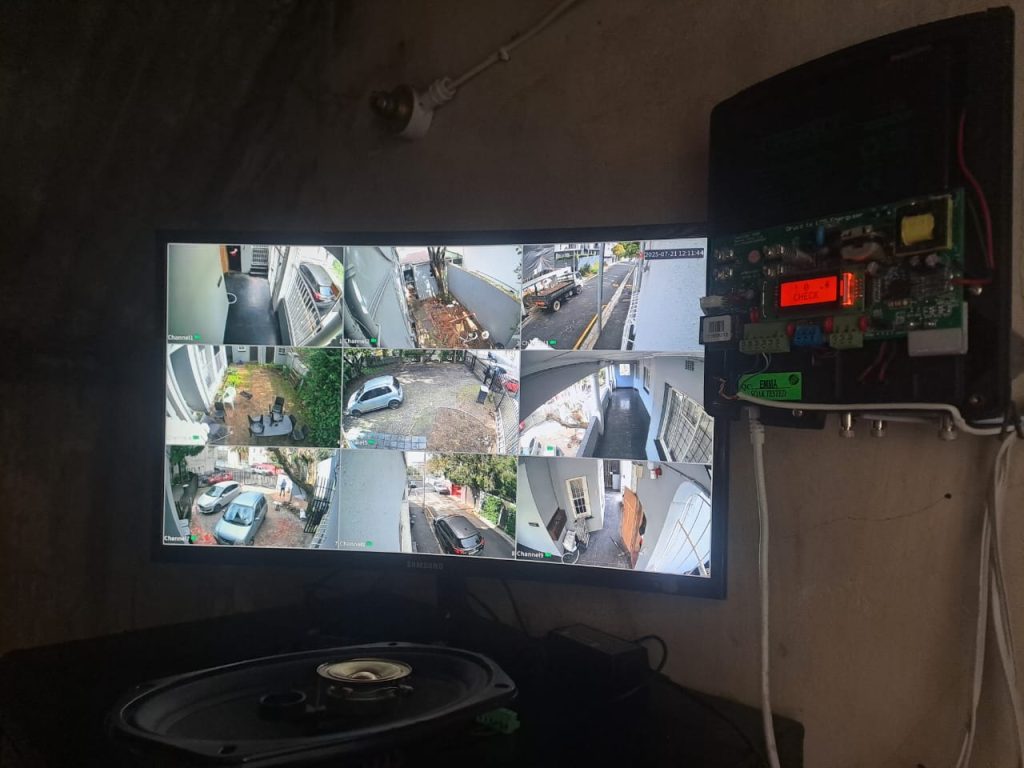
If your CCTV footage looks soft, shows rolling lines, flips to black and white during the day, or turns strangely pink, you’re not alone.
Most issues come down to four things: focus, lighting and IR, power and interference, or damaged cabling.
This guide gives you the fastest path from problem to solution.
If you’d like a certified technician to handle it, Cape Smart Automation can repair and optimise your CCTV anywhere around Northern and Southern Suburbs in Cape Town.
A blurry security camera usually comes down to one of a few simple things:
Fix it, simply: clean the lens or dome, refocus once, reduce glare at night, and make sure the camera has stable power. If it still won’t sharpen up, it’s faster to let us check it on site.
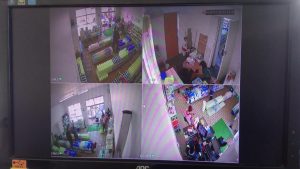
If everything looks soft all the time, it’s usually focus.
Cameras can slip out of focus with heat or vibration, and varifocal lenses need a proper set once and then they’re good.
What you can do: check live video, adjust focus until text and edges look crisp at the distance that matters, and make sure the housing is clean.
If focus keeps drifting or never quite locks, there’s likely a gasket, lens, or mounting issue we should sort for you.
Rolling bars and flicker are nearly always power or interference related.
A noisy power supply, a tired PoE port, or an old balun can draw lines across the picture, especially at night when the camera works harder.
What you can do: try a known-good power source or PoE port, and if the lines vanish you’ve found the culprit.
Keep power and video cables tidy and separate. If lines stay put, the cable or connectors are ready for replacement.
Our CCTV mobile technicians in Cape Town always carry clean power injectors and pre-crimped test reels to isolate the fault quickly.
When a colour camera goes monochrome during the day, a few things are at play:
What you can do: set Day/Night to Auto or Colour, add or redirect a bit of light if the scene is dim, and reboot the camera to nudge the IR-cut.
If it keeps flipping back, that filter may be stuck and needs service.
A pink or magenta cast is a classic sign of an IR-cut filter stuck open.
The sensor is seeing light it shouldn’t, so whites turn purple and skin tones look odd.
What you can do: power cycle and toggle between Colour and B/W.
If normal colour doesn’t return, it’s a small part with a big visual impact and usually needs replacement.
We can swap the module or the camera depending on age and brand. Again, feel free to contact us regarding pink image fix on all sorts of CCTV cameras.
Night-time adds two curveballs: infrared light and moisture. Inside dome cameras there’s a foam ring that keeps IR light from bouncing around.
If it doesn’t seal properly or the dome is smudged, night vision turns into a grey halo. Condensation and micro-scratches also glow under IR.
What you can do: clean the dome, trim nearby plants, and make sure the camera isn’t pointed tight against a bright wall or shiny surface.
If halos and fog persist, we’ll reseat the gasket and replace the dome cover if it’s worn.
Grain comes from the camera boosting gain to see in low light, or from settings that compress too hard.
You’ll notice it most in dark areas and it often looks like a fine crawl.
What you can do: add or redirect a little real light if possible.
On the recorder, avoid ultra-aggressive compression profiles that trade detail for storage.
If you’d like us to tune it, we’ll balance clarity and savings so the footage stays usable.
Glass, polished tiles, and white walls bounce IR light and LED glare straight back into the lens.
Headlights at night can wash out a whole scene if the camera points head-on at a driveway.
What you can do: change the angle slightly, add a small hood, or move the camera a touch so the brightest sources aren’t in the centre.
Where angle changes aren’t possible, we’ll recommend a different lens or a smarter mounting position.
Sometimes the video is fine but the path to it isn’t:
What you can do: switch your app to the main stream when you’re on Wi-Fi, enable overwrite on a full recorder so it keeps recording, and replace clearly damaged cable ends.
If recordings still stop or the phone view remains fuzzy, we’ll check the recorder settings and network for you.
In conclusion, if your camera ticks more than one box, don’t stress – different faults often show up together.
We’ll prioritise the quick wins first so you see a clean picture again, then tidy up the rest.
Here is a quick symptom to cause guide for all common CCTV camera issues:
You want clear video when it matters. We deal with these exact problems every day around Cape Town and the fix is usually fast:
Call or WhatsApp: +27 83 518 5545 or +27 83 518 5545
Email: info@capesmartautomation.co.za
Prefer a scheduled visit around Cape Town? We’ll check your system, make small improvements on the spot, and give you a simple plan for anything bigger.